Planning camera coverage without creating blind spots
How mounting height, lens choice, field of view, lighting, and retention affect a Protect design.
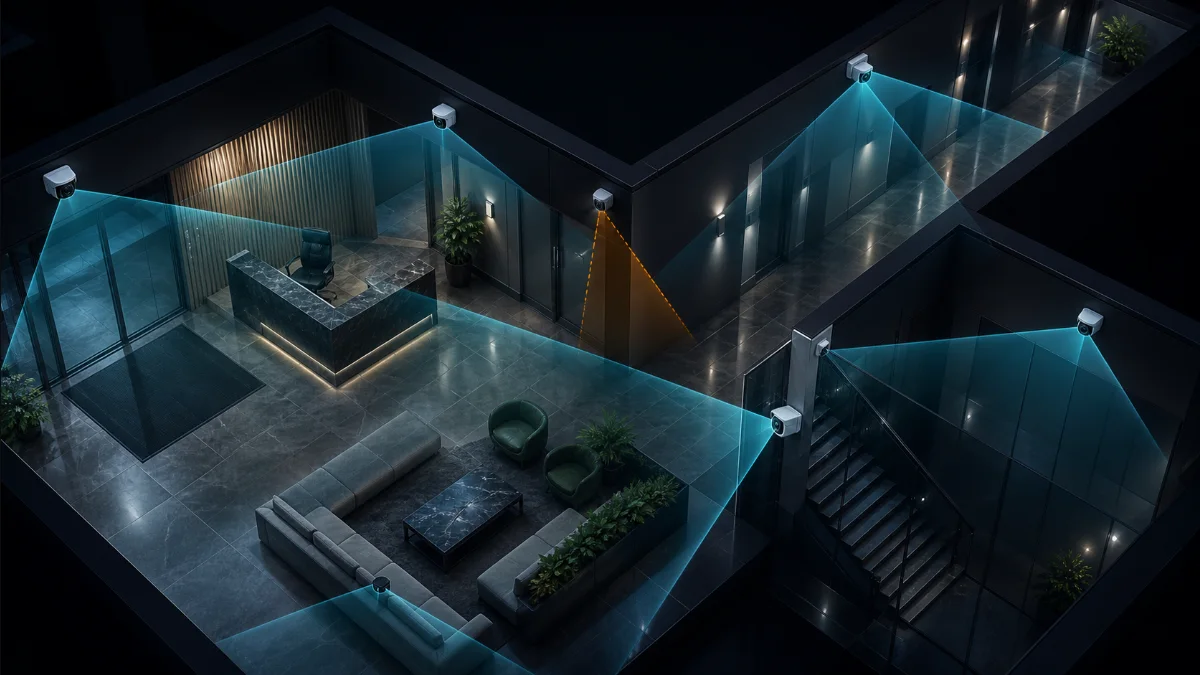
Start with the question the footage must answer
A wide overview can show that something happened while still failing to identify a face, read a plate, or confirm what changed hands. Define the purpose of every camera: detection, observation, recognition, or identification. The purpose determines lens, distance, angle, resolution, and mounting height.
Prioritize entrances, transaction points, choke points, loading areas, and paths between zones. Perimeter coverage and interior evidence views solve different problems and often need different cameras.
Draw field of view—and inspect pixel density
A field-of-view cone is the correct first step, but coverage area alone is not enough. As the scene becomes wider or the subject moves farther away, fewer pixels describe the subject. Avoid asking one ultra-wide camera to provide both total room awareness and detailed identification at a distant doorway.
Use overlapping views where losing a single camera would create a critical gap. At entrances, aim to capture a face before the person turns away, and avoid steep top-down angles that mostly record the top of a head.
Design for the actual light
Day and night can produce completely different images. Glass entrances create backlighting; headlights can overwhelm a plate; infrared reflects from nearby walls, soffits, spider webs, or dirty domes. Review the sun path, interior lighting schedule, reflective surfaces, and likely nighttime conditions.
A clean daytime preview is not proof of usable night evidence. Validate after dark and adjust exposure, supplemental light, angle, or camera choice as needed.
Plan detection and privacy zones deliberately
Protect supports motion, smart-detection, enhanced-bitrate, exclusion, and privacy zones. Use them to focus processing and recording on important regions, reduce triggers from trees or traffic, improve detail where it matters, and block sensitive areas. Zone configuration should be part of commissioning, not an afterthought.
- Keep important subjects inside the useful center of the image
- Exclude constant motion that creates noise
- Use privacy zones where recording would be inappropriate or unlawful
- Walk-test detection paths in both directions
- Confirm notifications are useful rather than merely frequent
Storage is part of camera design
Resolution, frame rate, compression, scene complexity, and recording mode affect storage. Define the required retention period before choosing the recorder and drives. Protect supports continuous and detection-only strategies, per-camera retention controls, and enhanced retention options; use them according to risk and policy rather than applying one setting everywhere.
Finally, verify the finished views, export a sample, test remote access, document zones, and record the expected retention under normal operation.
DesignNerd is built by The UniFi Nerds, the nation's leading UniFi installation and managed services company.